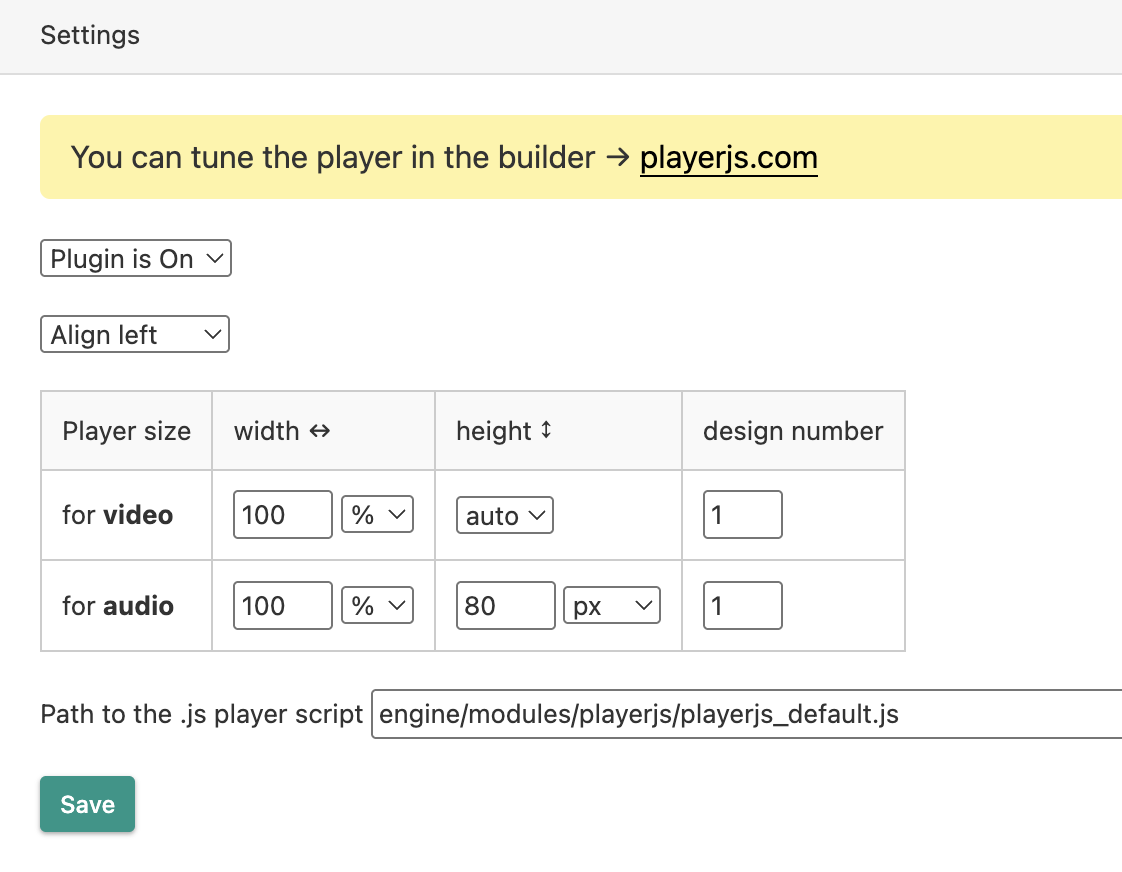
DLE support Üzgünüz, bu makale İngilizce olarak mevcuttur Download Version 1.15 (DLE 13+) InstallationDownload the plugin and upload it to DLE modules section. Upload your player to the server (please don't use the engine/modules/ folder for that, js files can't be stored there since DLE 18). Specify the path to the player's script in the plugin settings (by default, it points to the standard playerjs_default.js – we recommend to replace this path). Plugin settings can be found in the admin panel section
There you can customize the path to the player, disable centering, change the default dimensions, and disable the plugin. How to add a player to an articleThe player is added using shortcodes, the minimum version looks like this: [playerjs file:"URL"]By default, the player stretches to the full width of the field (unless specified otherwise in the plugin settings). You can set custom dimensions for each player individually using percentages (50%) or pixels (500). [playerjs(50%) file:"URL"]If the option to scale to the container size is enabled in the editor, then you also need to set the height. [playerjs(200x100) file:"URL"]To connect the audio player settings, you need to specify the audio parameter [playerjs file:"URL", audio:1]You can add any parameters supported by the player, separated by commas. [playerjs file:"URL", poster:"URL", subtitle:"URL", title:"URL"] Don't use square brackets. If you need to specify quality options, a playlist, or timecodes, replace the square bracket with a curly bracket or two round brackets. The playlist is specified as follows[playerjs file:{{title:"Text", file:"URL", poster:"URL"},{title:"Text", file:"URL", poster:"URL"}}]
Quality or subtitle options should be listed in double brackets.
[playerjs file:"((480p))//site.com/480.mp4,((720p))//site.com/720.mp4", subtitle:"((En))//site.com/en.vtt"] An add-on to replace the standard playerDownload Version 0.6 (requires installation of the main plugin) This add-on replaces the default DLE player to PlayerJS. Download the archive and unzip, it will contain two files: plyr.js and player.js. Copy the files to the engine/classes/html5player folder, renaming the default files with the same names first. If the default player is still displayed, clear your browser cache. The PlayerJS plugin settings apply to this add-on (the default settings for DLE players will not work). Light integrationTo use lightweight integration simply enable this option in the builder and add the posterbefore:1 parameter to the player shortcode. Also, remember to explicitly specify the player container height in pixels in the DLE plugin settings. |